Word Games: CrossWord & Search
- 4.9
- Rating
- 10.00K
- Installs
- Free
- Price
 Analysis by App-foxy
I approached Word Games: CrossWord & Search as a casual word-game collection rather than as one narrowly focused puzzle. That distinction matters. The game is built for people who like switching between crossword-style thinking and word-search habits instead of committing to a single format for every session. After spending time with it, I found its strongest appeal in that flexibility: when one type of puzzle starts to feel tiring, another style gives the brain a slightly different job.
It is a free word game from Underwater Games OU, with an Everyone age rating and support for devices running Android 7.0 or later. The current version is 1.75, and the game has reached over 10 thousand installs. Its average rating sits at 4.9 from 248 ratings, with 20 written reviews. Those figures suggest a positive early reception, although the audience is still much smaller than the audience around the biggest puzzle brands.
How the game feels in everyday use
The most useful way to think about this title is as a small puzzle break that can adapt to your attention span. A crossword session asks me to retrieve words, interpret clues, and think about how answers fit together. A search puzzle is more visual and deliberate: I scan letters, recognize patterns, and work through the grid at my own pace. Moving between those activities prevents the collection from feeling as repetitive as a single-mode word app can become.
You May Also Like

 Blood Strike: 2.5 Anniversary
Blood Strike’s Loadouts Turn Every Drop Into a Tactical Gamble
A close look at Blood Strike’s custom loadouts: how fast access to signature weapons reshapes its battle royale rhythm, rewards preparation, and narrows the gap between fights.

 Pandora - Music & Podcasts
Pandora’s Music Is Easy to Start, but Harder to Recover
Pandora’s strength is its low-effort path from a seed to a station. Its weak spot is how much confidence it asks you to place in connection, setup, and quiet recovery.

 8 Ball Pool
 Is Built on Rivalries, Rematches, and Routine
A close look at the rivalries, rematches, shared routines, and unanswered safety questions that turn a quick pool match into a persistent mobile community.

 Samsung Music
’s Quiet Strength Is Playing What You Already Own
Its reach comes less from spectacle than from dependable access to a personal library. That simplicity is both the app’s strongest retention engine and its ceiling.

 AccuWeather: Weather Radar
AccuWeather Review: A Quick, Clear Forecast for Everyday Decisions
For everyday plans, the best forecast is the one you can understand quickly. AccuWeather makes rain timing, radar, and local conditions easy to act on, with a few trade-offs.

 Hill Climb Racing
Why Hill Climb Racing Still Turns Crashes Into One More Run
A tiny car, a bumpy hill and one more upgrade: Hill Climb Racing keeps resurfacing because its simple chaos makes every near-miss feel personal.
More From Our News Desk
View All News


I can imagine opening it during a short commute, while waiting for an appointment, or at the end of the day when I want something more active than scrolling but less demanding than a full game. The important point is that this is not a replacement for a long-form crossword book or a serious competitive puzzle platform. It works better as an accessible pocket activity, especially when I want a session that can end after a few minutes without leaving me in the middle of a complicated campaign.
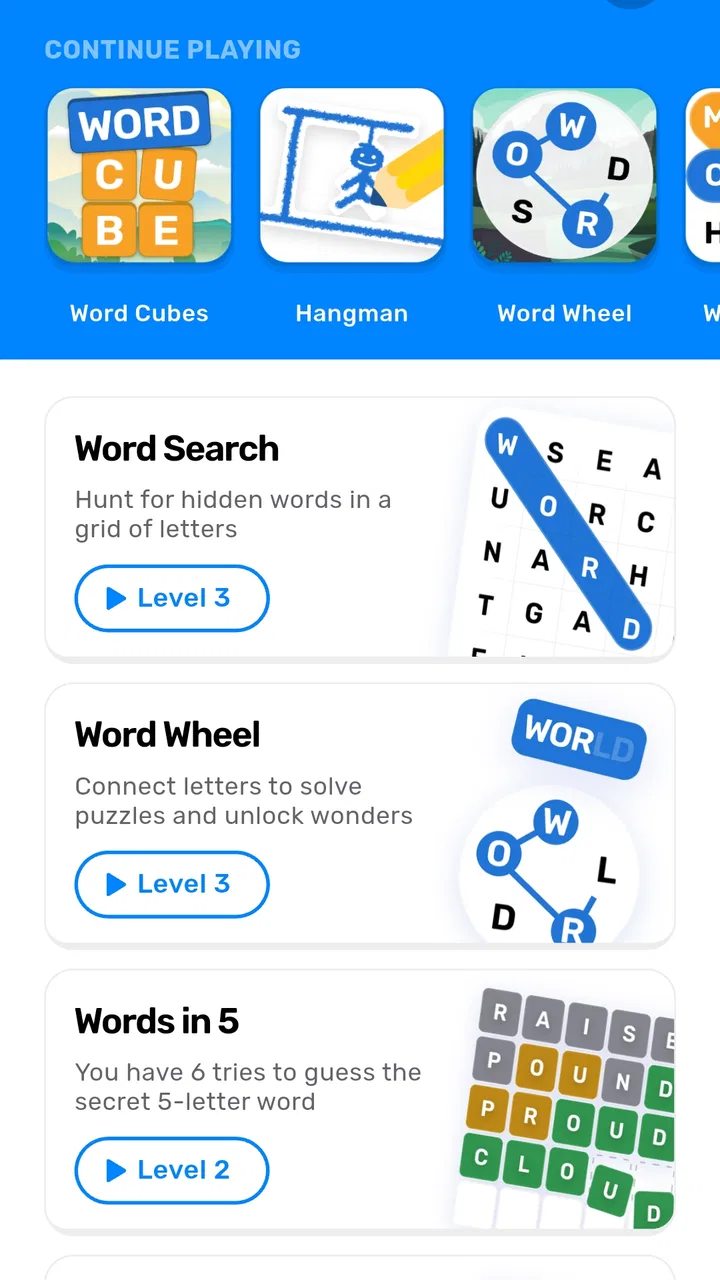
The store summary presents it as a collection of more than ten word games. That breadth is the central value proposition, but it also creates an expectation I would keep in check: variety does not automatically mean every mode will suit every player equally. Someone who only enjoys carefully constructed crosswords may find the broader collection less focused than a dedicated crossword application. Likewise, a player who wants only relaxing word searches may not care about the extra formats.
Free access and what the purchase model means
The game is free to download and play, which makes trying it straightforward. There is no need to pay before discovering whether the puzzle style, presentation, and pace fit your habits. That is particularly useful here because a collection can look appealing in a short store description but feel different once you spend time moving between its modes.
In-app purchases range from $1.99 to $8.49 per item. I would treat those purchases as optional spending rather than part of the basic entry cost. The free access is enough to judge the core experience, while the paid items are relevant only if you decide that the additional value is worth paying for. Because the price depends on the individual item, I would check the purchase screen carefully before confirming anything instead of assuming that one payment unlocks the entire collection.
That distinction is important for value. If you want a no-cost word game to use occasionally, the free starting point is the main reason to try it. If you expect a completely paid-free experience with no reason to consider optional purchases, you may prefer a simpler puzzle app whose business model is clearer to you. On the other hand, if you play often and find several modes useful, paying for selected extras may make more sense than buying separate apps for different kinds of word puzzles.
I would also avoid judging the game solely by its high rating. A 4.9 average is encouraging, but it does not tell me whether every mode is equally strong or whether the game matches my personal taste. Ratings are a useful signal to investigate, not a substitute for testing the free experience yourself.
Where the variety genuinely helps
The collection format gives the game a practical advantage over a single-purpose crossword app. My attention changes throughout the day. In the morning, I may enjoy clues that require recall. Later, I may prefer a visual search that lets me relax into scanning. Having both kinds of activity in one place reduces the need to keep several separate apps installed just to cover different moods.
That variety is also useful for households with different preferences. One person can be drawn to clue-based puzzles while another prefers finding hidden words. It is not a multiplayer claim, and I would not treat it as a social game, but the range of puzzle types makes the app easier to share casually on the same device than a specialist title designed around one very specific format.
There is a less obvious benefit for people trying to build a regular mental routine. Switching formats can keep a short daily habit from becoming automatic in exactly the same way every time. I might begin with a crossword when I want to exercise verbal recall, then move to a search puzzle when I want a calmer visual task. That is a better use of the collection than opening it randomly and expecting every mode to feel equally engaging.
My practical tip would be to identify two or three modes that fit different energy levels, then use those as your personal rotation. Trying to complete every available type in one sitting could make the app feel scattered. Treating it as a menu of tools, rather than one continuous challenge, makes the breadth more useful.
Limitations that affect the value
The same variety that makes the game convenient can weaken its identity. A focused crossword app can devote its entire experience to clue quality, grid construction, and the rhythm of solving. A broad collection has to divide attention across multiple formats. If your standards are shaped by printed crossword books or specialist puzzle communities, this may feel more like a convenient sampler than a definitive destination.
There is also a possible decision cost. When an app offers many choices, I sometimes spend more time deciding what to play than actually solving. That is not a serious flaw for a short casual title, but it can reduce the sense of momentum. I found the collection most appealing when I entered with a simple intention, such as “I want a quick visual puzzle,” rather than browsing without a plan.
The free model introduces another trade-off. Optional purchases can be reasonable when they add meaningful content, but they can also make a player hesitate before settling into a long-term routine. Since individual items fall within a range from $1.99 to $8.49, I would think about the total cost of the specific extras I want, not just the price of the cheapest option. A free download is excellent for testing; it is not automatically the best long-term value for every playing style.
Players who need a completely distraction-free puzzle environment should be especially selective. A dedicated paid puzzle book or a focused app may offer a more predictable experience if the main goal is uninterrupted solving. This title is better suited to someone who appreciates choice and accepts that a collection may feel less specialized.
Useful ways to fit it into a routine
For a short break, I would choose a mode that can be completed in one sitting rather than beginning with the most demanding option available. That keeps the game from turning a five-minute pause into an unfinished task that follows me around. The collection is naturally suited to fragmented time because I can change direction when my concentration drops.
For language practice, I would use the clue-based formats as a way to encounter words in context, but I would not treat the game as a complete language-learning course. Word puzzles can support recall and recognition, yet they do not replace structured lessons, pronunciation work, or explanations of usage. This is a good example of the app’s proper role: a playful supplement, not a full educational system.
For older family members or younger players, the Everyone rating makes the game broadly approachable from an age-classification perspective. Still, age suitability is not the same as equal difficulty. A child may enjoy searching for words but struggle with clues, while an experienced adult may find beginner-friendly puzzles too light. I would let the player choose the mode that matches their reading ability and patience instead of assuming that the rating guarantees a perfect fit.
One useful habit is to stop before the collection becomes tiring. Word games often lose their charm when I keep going simply because another mode is available. Short, intentional sessions make the variety feel refreshing. Long sessions may expose the limits of a casual collection more quickly, particularly for players who want increasingly difficult challenges.
How it compares with familiar alternatives
Compared with a traditional crossword app, this game offers more format variety but less of a single-minded crossword identity. I would choose the dedicated alternative if clues, grid design, and a consistent crossword progression are the only things I care about. I would choose this collection when I want crossword-like play alongside visual word searches and other changes of pace.
Compared with a paper puzzle book, it is more convenient to carry and easier to sample without buying a physical product first. Paper still has advantages for people who enjoy writing answers, marking the page, and keeping a tangible record of completed puzzles. The digital collection is more practical for spontaneous sessions, while the book can feel calmer and more deliberate.
Compared with a competitive daily word game, this title seems better suited to private, low-pressure play. I would not pick it primarily for leaderboards, social comparison, or a single headline challenge. Its appeal comes from having several word activities available when I want to play on my own terms.
That comparison also clarifies who should skip it. If you already have one excellent crossword app and never want another puzzle format, installing a broad collection may add clutter rather than value. If you dislike optional purchases on principle, the free download still lets you test the experience, but you may prefer an app with a payment model that better matches your expectations.
Who is most likely to enjoy it
I would recommend it to casual puzzle players who want variety without maintaining a folder full of separate word apps. It is also a sensible choice for someone returning to word games after a long break, because the collection lets that person discover whether clue solving, letter scanning, or another format is the most comfortable starting point.
It can work well for people who play in irregular bursts. A commuter, a student taking short breaks, or anyone who wants a screen activity before bed may appreciate the ability to switch tasks instead of forcing one type of puzzle every time. The free entry point makes that trial less risky, provided the player remembers that optional items have their own prices.
I would be more cautious recommending it to expert crossword fans, players seeking a deep progression system, or anyone who measures value by one highly polished specialist mode. Those users may get more satisfaction from a dedicated alternative. The collection is strongest when convenience and breadth matter at least as much as depth.
Device compatibility is also straightforward for older Android hardware because the minimum requirement is Android 7.0. That does not guarantee identical performance on every device, but it does make the game accessible to people who are not using the newest phone. For an everyday casual title, that broad compatibility supports its role as an easy game to keep available for spare moments.
My verdict on whether to download it
My final view is positive, with a clear condition: the free version is the right place to decide whether the collection earns a permanent spot on your phone. The combination of crossword-style play, word searches, and other word activities gives it more practical flexibility than a one-format app. The 4.9 average from 248 ratings is a strong sign of user satisfaction, and the Everyone rating keeps its intended audience broad.
I would download it if I wanted a free starting point, short sessions, and several ways to play with words. I would consider an in-app purchase only after finding a particular part of the collection that I return to regularly. That approach keeps the cost decision grounded in actual use rather than in the promise of variety alone.
I would skip it if I wanted a specialist crossword experience, a paper-like solving ritual, or a clearly focused competitive challenge. In those cases, a dedicated alternative may deliver better value even if it offers fewer formats. For everyone else, this is an approachable word-game bundle whose main strength is letting me change the kind of thinking I do without changing apps. It is not trying to be the final word in puzzle depth, but it is a convenient and worthwhile companion for casual play.
FAQs for Word Games: CrossWord & Search
01What is Word Games: CrossWord & Search?
Word Games: CrossWord & Search is a casual word-puzzle app that combines crossword-style challenges with word-search gameplay. Players solve clues, find hidden words, and complete themed puzzles at their own pace. It is designed for short sessions or longer play, making it suitable for people who enjoy vocabulary games, brain training, and relaxing offline entertainment.
02Is Word Games: CrossWord & Search free to download and play?
The app can generally be downloaded for free, allowing users to try its main puzzles without paying upfront. However, free versions of word games may include advertisements, optional purchases, or premium features such as extra hints, ad removal, and additional puzzle packs. Before downloading, check the current store listing for pricing, subscriptions, and in-app purchase details.
03Can I play Word Games: CrossWord & Search without an internet connection?
Many of the standard crossword and word-search puzzles can be played offline after the app and its required content have been installed. This makes it convenient for travel, commuting, or areas with limited connectivity. Some features, including advertisements, daily challenges, cloud synchronization, leaderboards, or new content downloads, may still require an active internet connection.
04Is Word Games: CrossWord & Search suitable for beginners and children?
The app is usually accessible to beginners because word-search puzzles provide a gentle introduction, while crossword levels can become more demanding as players progress. It may also be appropriate for older children, depending on the vocabulary and advertising shown. Parents should review the app’s age rating, privacy information, and in-app purchase settings before allowing younger users to play.
05What features should I expect while playing Word Games: CrossWord & Search?
Players can expect a combination of clue-based crossword puzzles and letter-grid searches, with progression through multiple levels or categories. Depending on the version, the app may offer hints, coins, daily puzzles, difficulty changes, themed challenges, statistics, and reward systems. If you dislike interruptions, confirm whether the app supports ad removal and whether hints can be earned without purchases.
Pros
- Combines crossword puzzles and word searches in one convenient app.
- Includes a broad selection of puzzles for different skill levels.
- Simple controls make selecting letters and entering answers easy.
- Short puzzle sessions work well for quick breaks or daily play.
- Helpful hints can assist when a clue or word becomes difficult.
Cons
- Some puzzles may feel repetitive after extended play sessions.
- Hints and extra features may be limited without watching advertisements.
- Small text or tiles can be uncomfortable on compact phone screens.
- Difficulty progression may not appeal to experienced word-game players.
- An internet connection may be needed for ads or certain app features.

Word Games: CrossWord & Search
Gallery